After I subscribed to multiple proxy providers during the Spring Festival promotions, how to make full use of every node became a problem that was neither especially hard nor especially easy. Of course, I could subscribe to the config files provided by each proxy provider and switch between them, but that would be far too troublesome. What’s more, I also have self-hosted nodes, and I don’t want to create a separate new config just for that one node.
Sub-Store solves this problem very well. It can extract node information from multiple subscriptions, organize them with regular expressions or JS, and finally output a single subscription that integrates all node information.
To deploy it, you can directly use the image packaged by xream. This image includes both the frontend and backend. If you deploy it on the public internet, remember to change the backend path, otherwise your config files may very well be stolen.
| |
Just reverse proxy port 3001 to access the Substore frontend. Here Caddy is used as an example:
| |
Of course, when entering the frontend for the first time, don’t forget to add the backend address. The backend address here depends on the setting in the previous compose file. In the example in this article, the backend address is https://sub-domain.example.com/super-random-path.
Managing combined subscriptions
After adding all upstream subscriptions from proxy providers and your self-hosted nodes, you can start adding them all into a single combined subscription. However, different proxy providers use all kinds of naming conventions for nodes, so by default it looks very messy, and there may even be duplicate names between different proxy providers. Fortunately, Sub-Store supports batch renaming nodes through scripts. Here I recommend a script that can help us rename all proxy provider nodes.
To use this script, just paste the following address into the script operation field when editing the subscription.
https://raw.githubusercontent.com/Keywos/rule/main/rename.js
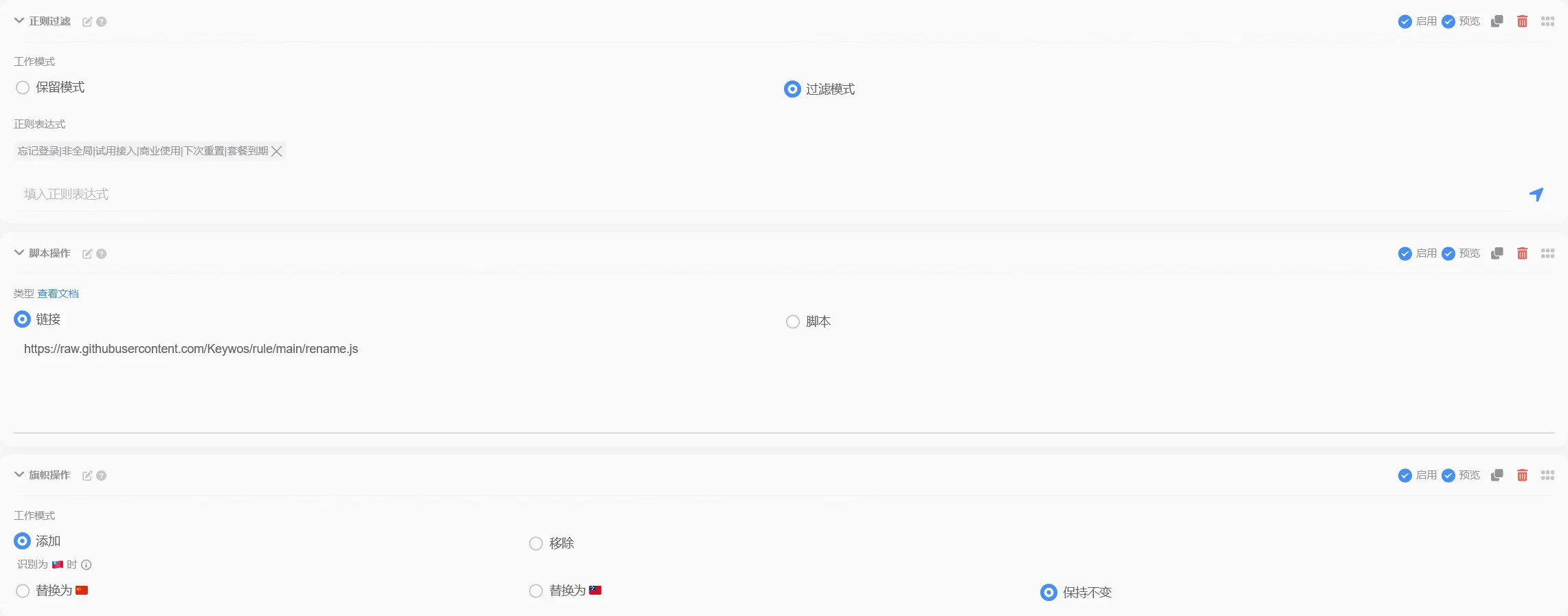
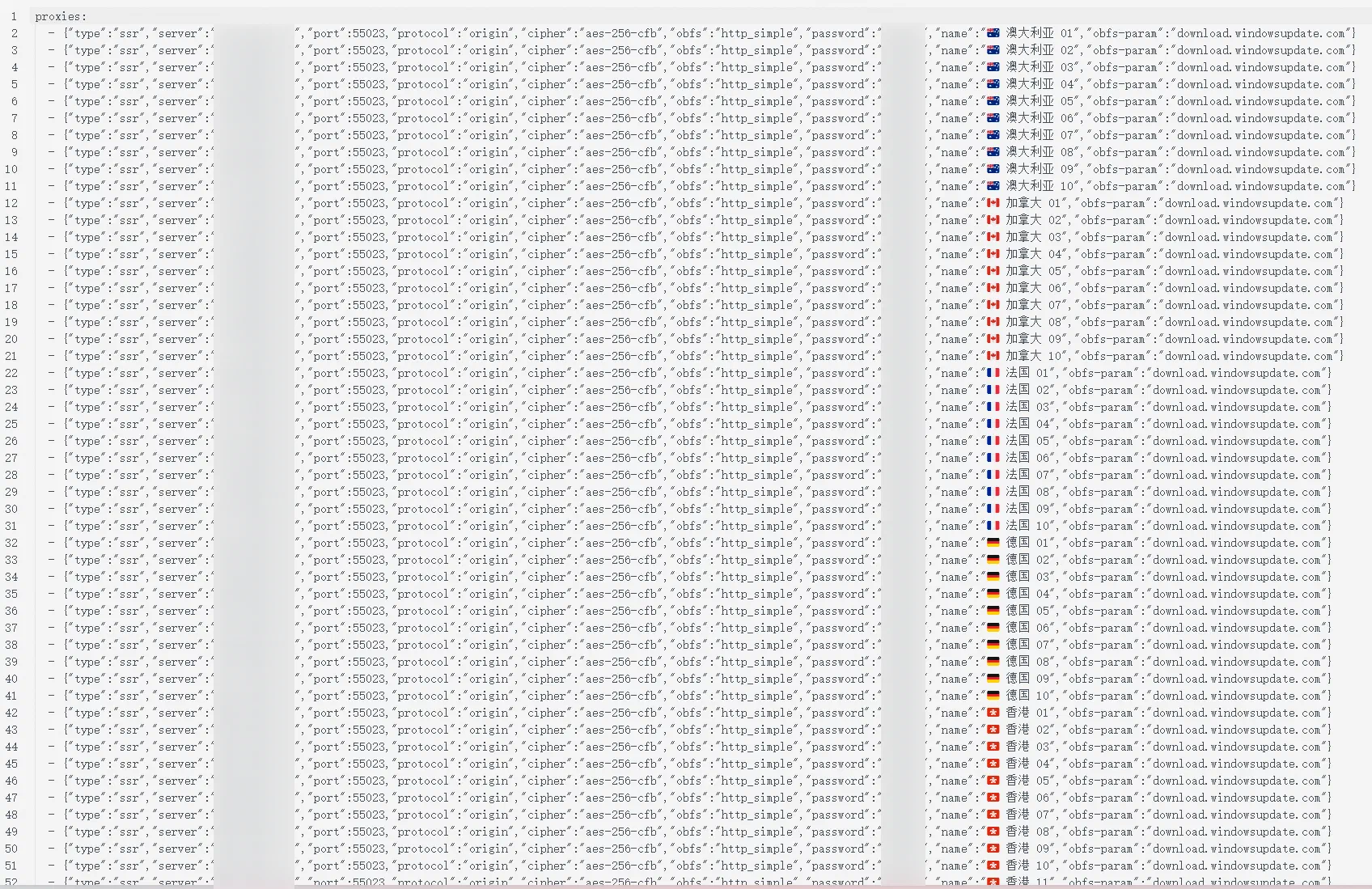
Finally, perform any additional node operations you like, and you can organize a unified, standardized node list.
Generating a Clash config
Although we now have a node list, the generated config file still does not include any rules, so you need to write them yourself or pull third-party rules.
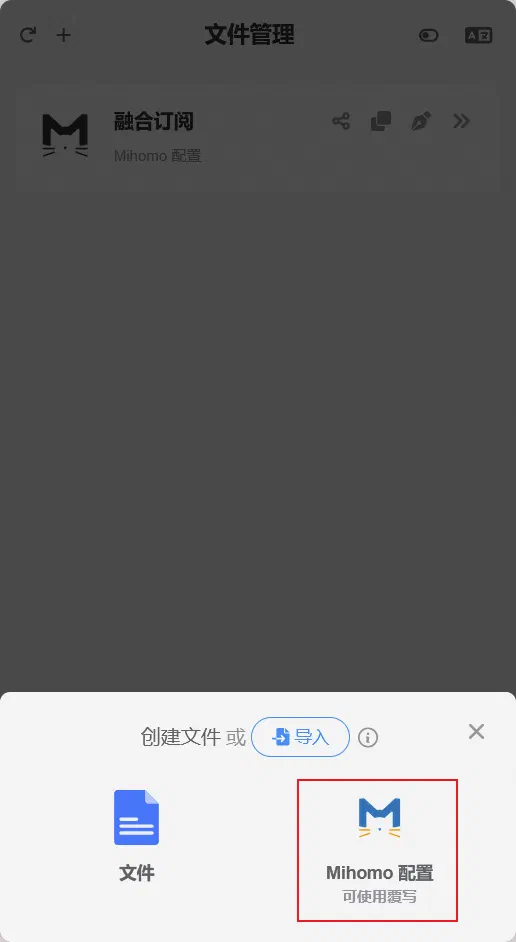
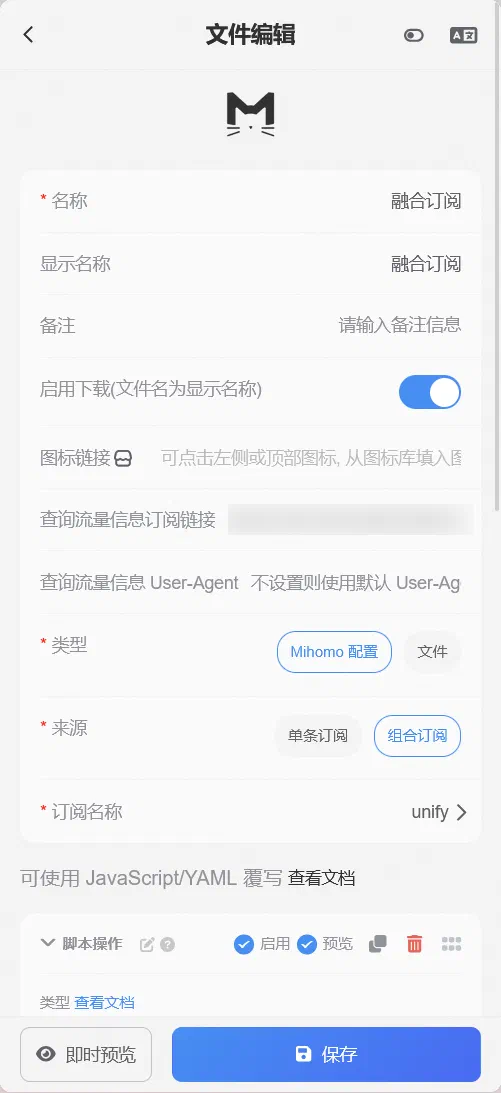
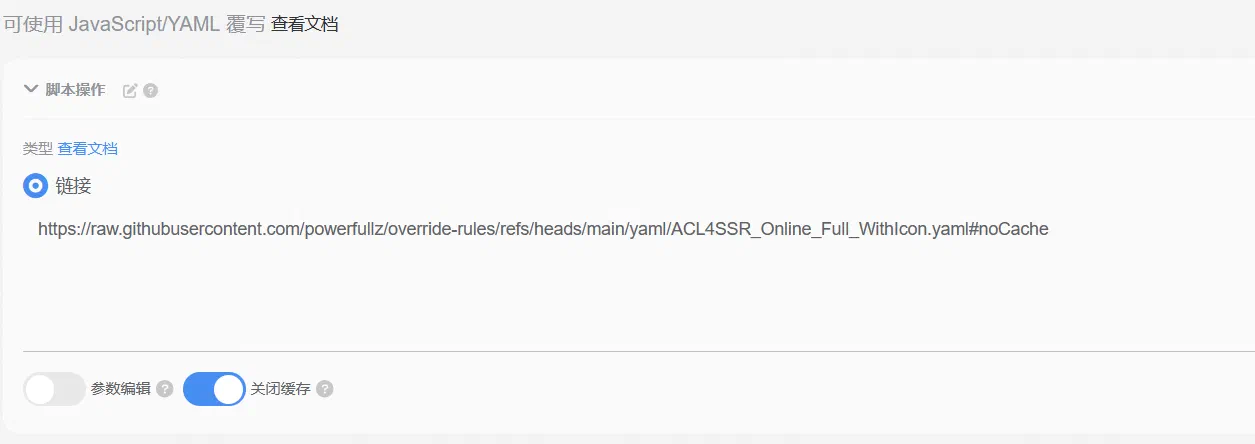
Go to Substore’s file manager and create a new Mihomo config:
- For “Source”, select the combined subscription, and choose your subscription group under the subscription name
- In the script operation field, fill in your own override config
This is my own override rules: powerfullz/override-rules, designed for Mihomo/Substore, with the following core features:
- Integrates high-quality rules such as SukkaW/Surge and 217heidai/adblockfilters, with strong compatibility and broad coverage.
- Adds dedicated traffic-splitting rules for scenarios such as Truth Social, E-Hentai, TikTok, and cryptocurrency to meet diverse needs.
- Streamlined and free of redundancy, with a clear structure and easy maintenance.
- Deeply integrates Loyalsoldier/v2ray-rules-dat GeoSite/GeoIP for more precise traffic splitting.
- IP rules add
no-resolveby default, effectively reducing local DNS resolution and improving speed and privacy. - Dynamic override: automatically detects node countries/regions, generates only groups that actually exist, and enumerates node names in real time for smarter configuration.
JavaScript-format override
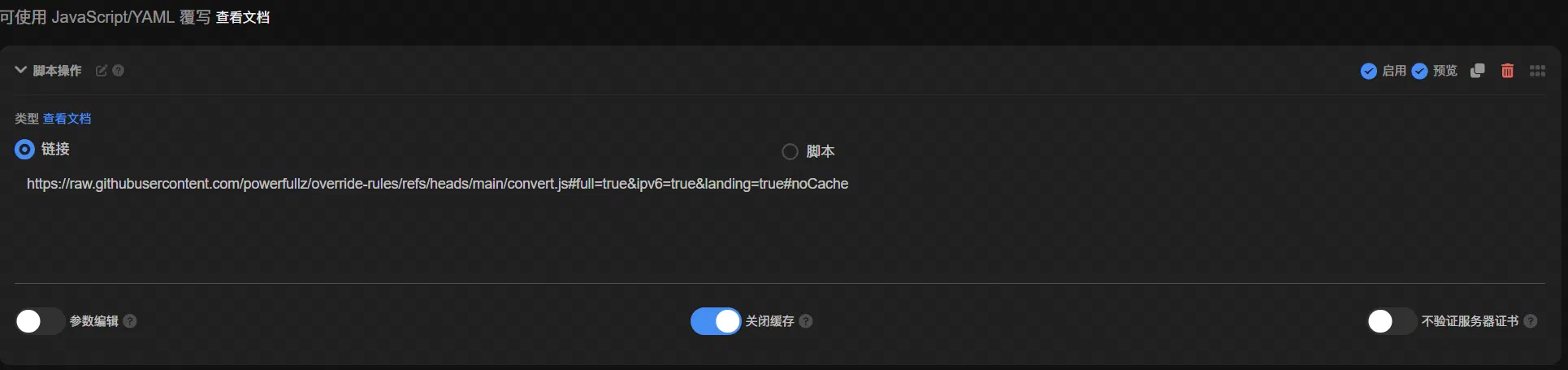
Copy the raw link of the JavaScript-format override file https://raw.githubusercontent.com/powerfullz/override-rules/refs/heads/main/convert.min.js, and append parameters as needed in the following format:
https://raw.githubusercontent.com/powerfullz/override-rules/refs/heads/main/convert.min.js#参数1=true&参数2=true
The following parameters are currently supported:
| Parameter | Function |
|---|---|
loadbalance | Enable load balancing for country/region node groups |
landing | Enable landing node functionality |
ipv6 | Enable IPv6 support |
full | Generate a complete config for pure-core usage scenarios |
keepalive | Enable TCP KeepAlive |
quic | Allow QUIC traffic1 |
fakeip | Use fake-ip for DNS enhanced mode2 |
regex | Switch country proxy groups to include-all + regex filtering mode3 |
threshold | Do not display groups when the number of country/region nodes is below this value (default 0) |
For example, if you need load balancing and IPv6, the final override script link would be:
https://raw.githubusercontent.com/powerfullz/override-rules/refs/heads/main/convert.js#loadbalance=true&ipv6=true
Paste the final override script link into the script operation field. After using Substore’s preview generation feature to confirm that there are no problems, you can save it.
YAML-format override
I no longer use YAML-format overrides myself, so maintenance was sporadic, but PRs were welcome
I wrote a GitHub Actions workflow to automatically generate YAML-format overrides from the JS-format override, so YAML-format overrides are now maintained again.
Besides directly referencing convert.js for dynamic override, you can also use the 32 pre-generated YAML-format overrides in the repository — they are all placed in the yamls/ directory and are automatically regenerated and overwritten by GitHub Actions after each push. This is suitable for clients and conversion services such as Clash Verge that do not support JS overrides.
File naming convention:
config_lb-{0|1}_landing-{0|1}_ipv6-{0|1}_full-{0|1}_keepalive-{0|1}_fakeip-{0|1}_quic-{0|1}.yaml
Example (with full enabled and all others disabled):
https://raw.githubusercontent.com/powerfullz/override-rules/refs/heads/main/yamls/config_lb-0_landing-0_ipv6-0_full-1_keepalive-0_fakeip-0_quic-0.yaml
CI only uses a fake fake_proxies.json to generate the override, so it cannot implement the JS override feature that automatically matches nodes and generates the corresponding proxy groups. It can only include all regional node groups. If you have already deployed Substore and want the flexibility of “dynamic country detection + parameter passing”, JS override is still recommended.
Generating a download link
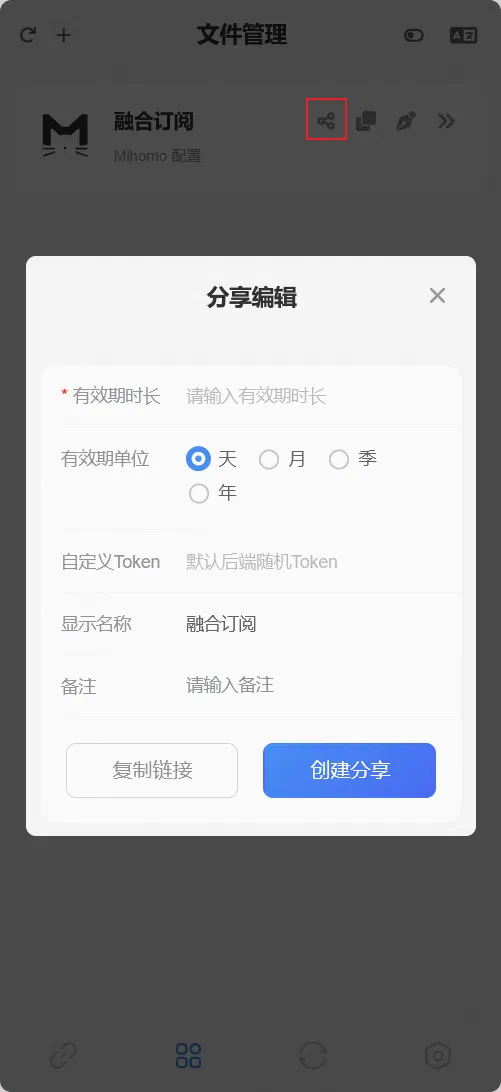
After saving successfully, click the share button to generate a share link. Set the share validity period, then click “Create Share”. The generated link is the final Mihomo config file. Use it as a subscription link in your proxy software, and you’re done.
Some proxy providers have poor UDP performance, and enabling this may degrade the experience. ↩︎
Enabling this may help solve the issue where TUN mode cannot access the internet. ↩︎
Country proxy groups switch to
include-all+ regex filtering mode, letting the Mihomo core dynamically filter nodes by regex at runtime instead of enumerating node names when the script runs (default false) ↩︎
Comments are disabled until you accept functional cookies.